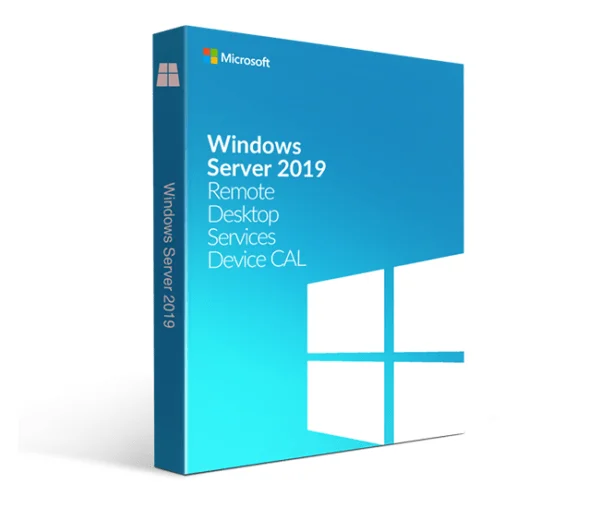
Introduction to Windows Server 2019 remote desktop services?
We are excited to introduce Windows Server 2019 RDS CAL User, a powerful solution designed to meet your remote desktop needs. This product offers a range of features and benefits that will enhance your organization’s productivity, security, and flexibility.
One of the key features of Windows Server 2019 RDS CAL User is its ability to support remote desktop sessions. With this product, your employees can access their desktops and applications from anywhere, at any time. This means that they can work remotely, which can increase their productivity, while also reducing the need for physical office space and travel costs.
Another important feature of Windows Server 2019 RDS CAL User is its improved security. This product offers enhanced protection against cyber-attacks and data breaches, which is critical in today’s digital landscape. With this solution, you can ensure that your organization’s sensitive data is safe and secure, even when accessed remotely.
In addition, it is easy to deploy and manage. This product offers a streamlined installation process, which means that you can get up and running quickly. Furthermore, this solution is designed to be intuitive and user-friendly, which reduces the learning curve and makes it easy for your employees to use.
Customer Feature: Windows Server 2019 RDS CAL User
The Windows Server 2019 RDS CAL User is a client access license that allows a user to remotely access and use the resources of a Windows Server 2019 Remote Desktop Services (RDS) environment. This feature provides several benefits to customers:
Benefit 1: Enhanced Productivity and Efficiency
The Windows Server 2019 RDS CAL User feature allows customers to access their desktops and applications remotely, which can increase their productivity and efficiency. Users can access their work resources from anywhere, whether they are in the office, at home, or on the go. This feature also allows multiple users to access the same desktop simultaneously, which can be helpful in collaborative work environments.
Benefit 2: Improved Security
This feature provides an additional layer of security to customers’ IT environments. Remote access is authenticated and encrypted to protect against unauthorized access and data breaches. This feature also enables customers to centrally manage and monitor remote access, which can help prevent security incidents.
Benefit 3: Cost Savings
This feature can help customers save on IT costs by allowing them to use their existing hardware and software resources. Customers can avoid the need to purchase and maintain additional hardware and software for remote access. This feature also helps customers optimize their IT infrastructure by allowing them to manage and deploy virtual desktops and applications more efficiently.
In summary, the Windows Server 2019 RDS CAL User feature provides enhanced productivity, improved security, and cost savings to customers who need to remotely access their work resources.
System Requirements
- Operating System: Windows Server 2019 should be installed and properly configured.
- Processor: Minimum 1.4 GHz 64-bit processor.
- RAM: Minimum 512 MB, although 2 GB or more is recommended for optimal performance.
- Hard Disk Space: At least 32 GB of available disk space.
- Network: Gigabit Ethernet adapter (10/100/1000baseT PHY/MAC) capable of at least one network connection.
- Display: Super VGA (800 x 600) or higher resolution monitor.
- Other Software: Depending on the specific requirements of your RDS environment, additional software such as antivirus, firewall, and other security software may be necessary.
Reviews
There are no reviews yet.